


With more than 1,000 different cables and adapters in stock - and even more in remote stock - it can be challenging to find the right cable - and this is where our intuitive cable guide comes into play.
Here you will find the right cable in 3 simple steps:
- Select cable type
- Select cable end A
- Select cable end B


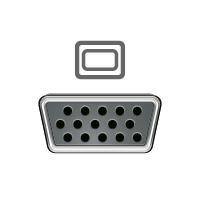
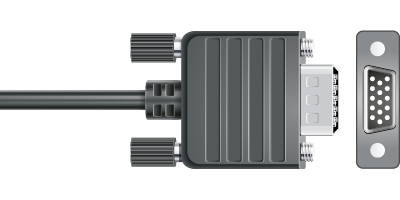
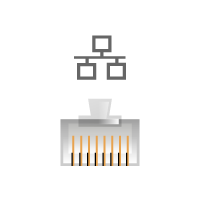
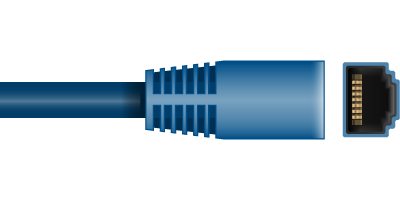
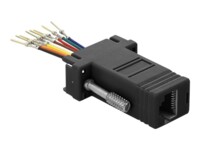
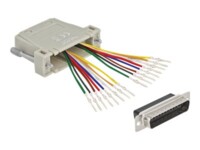
DeLOCK Adapter Sub-D 9 pin male to RJ45 female Assembly Kit Seriel adapter Sort
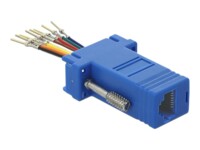
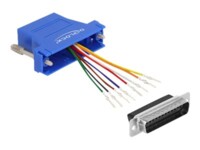
DeLOCK Adapter Sub-D 9 pin male to RJ45 female Assembly Kit Seriel adapter Blå
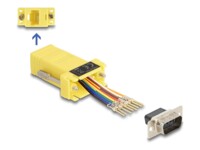

DeLOCK Adapter Sub-D 9 Pin male > RJ45 female assembly kit Seriel adapter
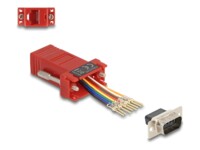

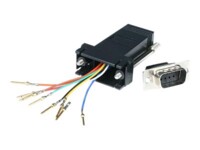
StarTech.com DB9 to RJ45 Modular Adapter - M/F - Serial adapter - DB-9 (M) to RJ-45 (F) - GC98MF Seriel adapter
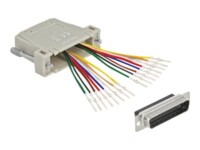


DeLOCK Adapter Sub-D 25 pin female to RJ45 female Assembly Kit Seriel adapter Grey
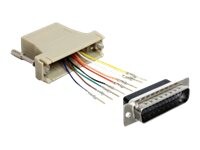
DeLOCK Adapter Sub-D 25 Pin male > RJ45 female assembly kit Seriel adapter Grey

Guide to Cables - Get Help Finding the Right Cable for Your Needs
Video cables, audio cables, lightning cables, USB-C cables, smartphone cables, computer cables, accessories, and adapters. Finding the right cable can be a challenge, but at Compumail, we’ve made it easy to find exactly what you need, whether it’s USB, HDMI, network cables, or any other type of cable you’re looking for.
A cable is a component that acts as a bridge between electronic devices by transmitting both electrical current and signals for various purposes, such as data transfer or networking. The core of a cable typically consists of a conductive material like copper or aluminum, carefully selected for its excellent ability to conduct electricity.
What Is the Difference Between a Wire and a Cable?
The difference between a wire and a cable typically lies in their construction, with a cable being a more complex solution, consisting of multiple wires and protective layers. A wire is simply a single strand or several strands that only conduct electrical current.
In short, the difference is:
• Wire: A single metal strand or small group of strands, primarily for simple electrical tasks.
• Cable: A composition of multiple wires with extra protection, used for more complex tasks and higher current capacities than what is typically used in wires.
Which Cable Do You Need?
There are many different types of cables, but with our intuitive cable guide, you can always find the right cable with just a few clicks. Start by selecting your cable type and then the two cable ends—and you’re on your way.
Which Cable Type Should Be Used for Electric Vehicles and Charging Stations?
For charging an electric vehicle, a type 2 cable is typically used. This is the most common standard in Europe and fits most modern electric cars and charging stations. If you have an older electric car, you might need a type 1 cable, but most new electric cars use type 2, so it's important to check this before choosing which cable to buy.
Which Cable Type Is Used for PCs?
Most computers use a power cable with a C13 connector (also known as a "kettle lead"). For data connections, it depends on what you're connecting. Typically, a USB cable (e.g., USB-A to USB-B or USB-C) is used to connect equipment like a mouse, keyboard, or external hard drives.
Which Cable Type Is Used for TVs?
The most common cable for your TV is an HDMI cable. This cable transmits both high-quality video and audio between your TV and, for example, a gaming console, Blu-ray player, or streaming device. If you have an older TV, you may need a SCART or VGA cable.
Which Cable Type Does the iPhone Use?
Modern iPhones use a lightning cable for charging and data transfer. This cable has a small, flat connector on one end (lightning connector) and typically a USB-A or USB-C connector on the other end, depending on the charger. The newest iPhone models (from iPhone 15) have started using USB-C cables.
Which Cable Type Is Used for Speakers and Hi-Fi?
For speakers and Hi-Fi systems, speaker cables are often used. These cables usually have two conductors (typically one red and one black wire) that connect the speaker to the amplifier. To connect audio equipment such as a turntable or CD player, you may also use RCA cables or optical cables.
Which Cable Type Is Used for Spotlights?
For connecting spotlights (also known as recessed spotlights), a 2-core installation cable is often used, typically in the form of H03VV-F or H05VV-F, depending on whether it is for low voltage or 230V installation. For low-voltage LED spotlights, low-voltage cables can also be used.
Which Cable Type Is Used for External Hard Drives?
External hard drives are usually connected with a USB cable. Older models often use USB-A to Micro-USB B or USB-A to USB-B. Newer models, especially SSDs, often use USB-C to USB-C cables for faster data transfer.
At Compumail, You Can Compare More Than 1,000 Different Cables
Whether you’re looking for your next SATA cable, power cable, DVI cable, DisplayPort cable, Apple cable, USB cable, or network cable, you’ll find it at Compumail—and if you’re unsure, you can always contact us for expert advice.
At Compumail, we have more than 1,000 different cables, adapters, and accessories in stock from manufacturers like DeLock, Goobay, Apple, Havit, Samsung, LogiLink, Green Cell, and many more. Our extensive selection is constantly expanding, so use the guide to find the perfect match for your needs.